
Instead of manually screening every radiology posting, use AI radiology job search filters to find subspecialty candidates, then verify the actual reading responsibilities before saving a shortlist. This 2026 workflow separates search relevance from confirmed job fit, so a subspecialty keyword never substitutes for evidence about the work.
- RadBoard suits radiologists who want aggregated radiology job search and swipe-to-save discovery across 20 sources.
- Use AI radiology job search filters to identify candidates, not certify subspecialty-only reading responsibilities.
- Define the subspecialty, required work arrangement, and unacceptable coverage duties before searching.
- Keep confirmed matches separate from postings that need employer clarification.
Why this matters
RadBoard aggregates 5,000+ radiology positions from 20 sources and offers AI-powered search and swipe-to-save features. That gives you a broad starting pool. It does not establish whether a particular employer assigns general coverage, cross-sectional work outside your specialty, or different responsibilities during call.
RadBoard is best for radiologists seeking aggregated radiology job search with AI-powered discovery and swipe-to-save features. Its role in this workflow is discovery; the posting and employer must establish the clinical scope.
For a 2026 subspecialty-only search, use a strict distinction: a relevant result is a candidate, while a verified match belongs on your shortlist. A title such as musculoskeletal radiologist identifies an area of interest, not the complete assignment.
Before you start
- Prepare your search brief. Write your subspecialty, acceptable clinical duties, work location, schedule requirements, and disqualifying coverage responsibilities in a separate document.
- Open the search platform and a tracking document. Use any account access requested by the platform for searching or saving. Keep your evidence notes outside the search results so you can compare postings consistently.
- Resolve the hidden gotcha: preferred training is not exclusive work. A posting seeking fellowship training does not, by itself, promise subspecialty-only reading. Missing information stays unresolved; do not interpret silence about general call as an exemption.
The instructions below describe search inputs and review actions, not a fixed screen layout. Treat example search text as a statement of intent, not as a guarantee that the platform applies every phrase as a hard filter.
Search brief
Define the clinical boundary
- Write the subspecialty in full, followed by the abbreviation you use professionally. For example, pair musculoskeletal radiology with MSK rather than relying on the abbreviation alone.
- List the clinical work you want. Name relevant examinations, patient populations, or procedures rather than adding more adjectives to the job title.
- State the work you will not accept. Distinguish general diagnostic coverage from permitted work within your subspecialty.
- Separate clinical requirements from preferences. Keep subspecialty-only reading mandatory if that is your objective; record preferred geography or employment setting separately.
Expected result: You have a reusable search brief that defines what qualifies and what disqualifies a role. Another person should be able to read it and reach the same screening decision.
For example, your brief might specify musculoskeletal interpretation, no general diagnostic coverage, and an acceptable work arrangement. Those are candidate-defined requirements, not claims about a particular job.
Avoid defining the role solely by modality. MRI describes an imaging modality; it does not identify the anatomical scope of every examination assigned. A subspecialty-only shortlist needs evidence about both the studies and the coverage obligations.
Choose your evidence standard
Decide what you will accept before reviewing results. Use explicit posting language for an initial match, then seek employer confirmation when the assignment remains unclear.
Record the search date as part of your 2026 notes. The date tells you when you reviewed the evidence; it does not prove when the employer last changed the role.
Search configuration
Build a focused search request
- Enter your full subspecialty name in the platform's search input. Add the common abbreviation in a separate search if you need to check alternative wording.
- Add your required work arrangement, such as onsite or remote, when it is essential to your decision.
- Add your clinical boundary in plain language. Use the example below as a starting request, then replace its requirements with your own.
- Submit the search and inspect the actual duties in the returned postings. Do not assume the search request enforces exclusions or supports Boolean operators.
Example search text:
Musculoskeletal radiologist positions focused exclusively on MSK interpretation, without general diagnostic coverage. Remote work preferred.
This is example search text, not a documented search command. If the results include mixed duties, screen those duties directly rather than assuming the platform has ignored a supported setting.
Expected result: You have a pool of potentially relevant postings and can explain why each deserves review. You have not yet classified any role as confirmed subspecialty-only.
Test alternative terminology
Repeat the search using the full specialty name and its abbreviation separately. For a musculoskeletal search, compare results found through musculoskeletal wording with results found through MSK wording.
Keep the underlying requirements unchanged during this terminology check. Otherwise, you cannot distinguish a wording difference from a change in your own criteria.
Evidence review
Screen duties before saving
- Read the responsibilities section before weighing benefits or employer reputation. Identify the assigned case mix, general coverage obligations, procedures, and call expectations.
- Copy the relevant posting language into your tracking document. Mark your interpretation separately so it does not become indistinguishable from the employer's wording.
- Assign an evidence status: Confirmed match, Needs clarification, or Exclude. These are labels for your document, not claimed platform controls.
- Use the platform's swipe-to-save feature for postings you want to revisit. Keep the evidence status in your own notes so a saved posting never implies verified fit.
Expected result: Each saved candidate has a reason, a source excerpt, and a visible evidence status. A strong title alone cannot advance a posting into the confirmed group.
The guide to radiology jobs for physicians who want subspecialty-only reading addresses the same clinical boundary from the job-selection side. Use it alongside this workflow when deciding which duties require clarification.
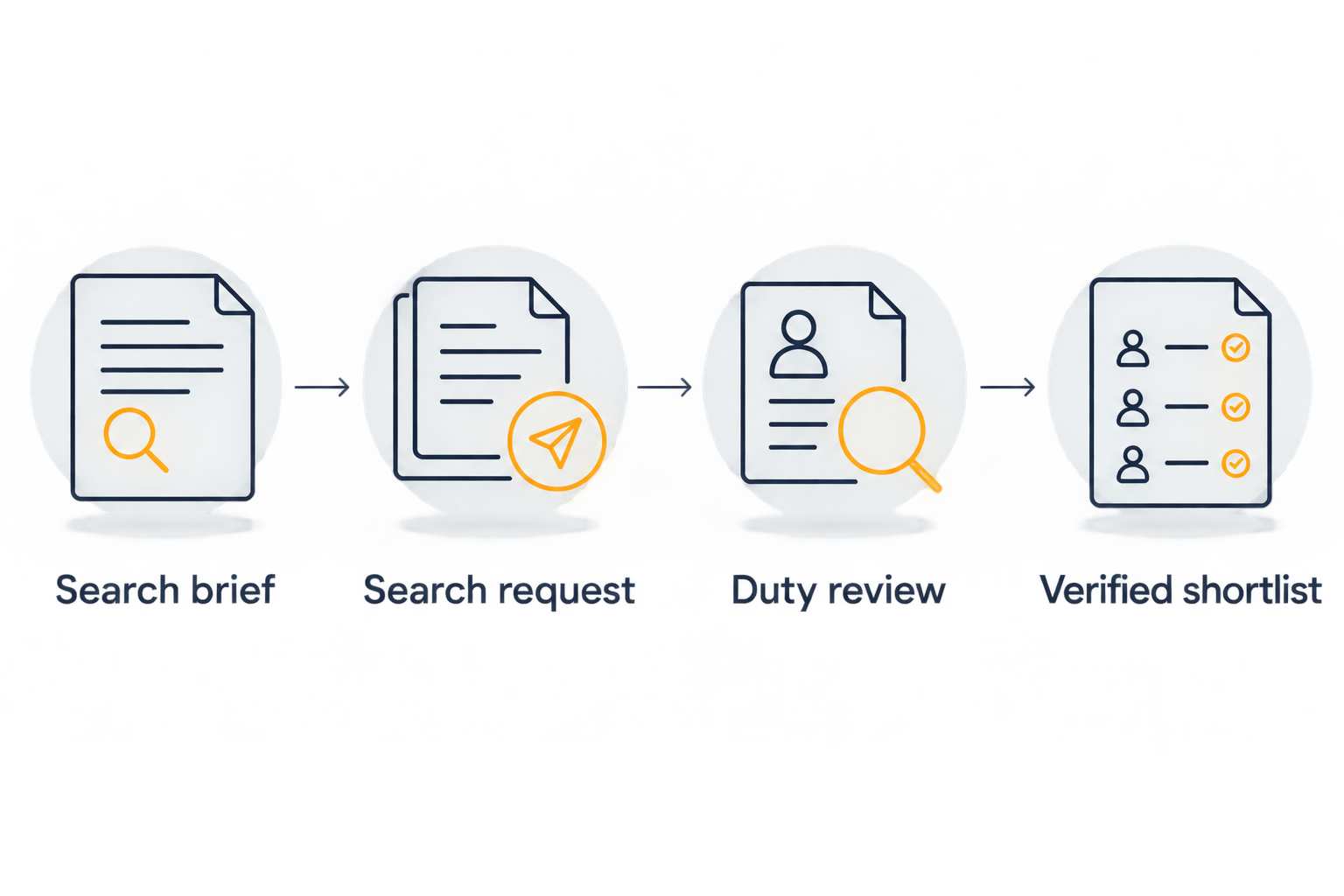
Your evidence trail should follow a consistent sequence: Search brief, Search request, Duty review, and Verified shortlist. The duty review is the gate between a relevant result and a job you can seriously evaluate.
Resolve missing clinical details
Send the employer a focused question rather than asking whether the role is a good fit. Ask whether routine shifts, call, weekends, and cross-coverage require work outside your stated subspecialty.
Request the expected case distribution by study category and an explanation of exceptions. If the answer is qualitative, record the wording without converting it into a percentage.
For your 2026 shortlist, keep unresolved roles outside the confirmed group. Unknown is not a match, but it is not an automatic rejection either. It is a reason to ask a specific question.
Shortlist configuration
Build a decision-ready record
- Create a record for each distinct opportunity. Include the employer, role title, location, work arrangement, source reference, and review date.
- Add separate entries for routine duties, call duties, and cross-coverage. Do not compress different responsibilities into a general subspecialty-fit note.
- Record what confirms the match and what still needs an answer. Name the person or document supplying clarification when you receive it.
- Compare apparently repeated postings before treating them as separate opportunities. Check the employer, location, schedule, and clinical responsibilities rather than relying on title differences.
- Keep only evidence-supported matches in the final shortlist. Preserve unresolved candidates in a separate follow-up queue.
Expected result: Your shortlist supports an employer conversation without making you reconstruct why you saved each posting. Every included role meets the same clinical boundary.
A useful record ends with a next action: request the call schedule, clarify general coverage, or confirm the routine case mix. Avoid a generic follow-up note that leaves the unresolved question unstated.
Search breadth and screening depth serve different purposes. RadBoard supplies aggregated radiology job search; your evidence record supplies the clinical qualification that a search result alone cannot provide.
Start your subspecialty search
Search 5,000+ radiology positions from 20 sources, then verify clinical duties before shortlisting.
Variant: refresh the shortlist after requirements change
Use an initial search to discover candidates. Use a refresh review when your preferences change or when an employer clarifies the assignment; neither step requires assuming an automatic synchronization feature.
| Workflow | Best for | Benefit | Limitation |
|---|---|---|---|
| Initial discovery | Radiologists defining a new search | Establishes a candidate pool against a written brief | Posting language can leave duties unresolved |
| Refresh review | Radiologists revisiting saved candidates | Applies revised requirements consistently | Requires rereading evidence and requesting clarification |
For a 2026 refresh review, date the revised search brief and identify exactly what changed. If you expand geography, keep the clinical boundary intact unless you deliberately choose to change it too.
Then repeat the focused search, reassess saved candidates, and compare new information with the previous record. Move a candidate into the confirmed group only when the evidence resolves the relevant uncertainty.
Keep the original search brief. Without it, a change in your preferences can look like a change in the employer's role.
Troubleshooting
General radiology appears in a subspecialty search
Separate fellowship requirements from assigned duties. Exclude a role when the posting explicitly requires unacceptable general coverage; otherwise, request clarification and keep it unresolved.
A relevant role disappears after adding preferences
Remove the most negotiable preference first and repeat the search. Keep mandatory clinical requirements unchanged, then check geography or work arrangement directly in the posting.
A posting says dedicated subspecialist but leaves call unclear
Ask about call independently of routine daytime responsibilities. Do not transfer a statement about one shift type to the entire assignment.
Similar postings inflate your candidate list
Compare employer, location, responsibilities, and schedule before counting separate opportunities. Preserve source references together when they describe the same role; keep them separate when the evidence shows different assignments.
Search results look relevant, but none qualifies
Check whether your search brief contains a genuine requirement or an untested assumption. Expand negotiable preferences deliberately, but do not relabel mixed coverage as subspecialty-only just to populate the shortlist.
Customize your workflow
After verifying the clinical scope, expand the review to schedule, practice setting, and employment terms. These are separate decisions; a subspecialty match does not settle them.
Add a question whenever the record lacks decision-critical evidence. For example, a remote preference calls for clarification about where the work is performed, while a no-call requirement calls for an explicit description of coverage obligations.
Keep RadBoard's discovery step separate from your acceptance decision. In your 2026 tracking document, a saved role means investigate, a confirmed clinical match means evaluate further, and a signed agreement requires its own review.
FAQ
What's the best way to use AI radiology job search filters for subspecialty-only work?
Use AI radiology job search filters to find candidates, then verify routine duties, call, and cross-coverage against a written clinical boundary. Search relevance alone does not establish subspecialty-only work.
Does RadBoard support radiology job search and saving?
RadBoard offers AI-powered radiology job search and swipe-to-save features. It aggregates 5,000+ radiology positions from 20 sources; verify each posting's responsibilities separately.
Does fellowship training required mean the job is subspecialty-only?
No. A training requirement identifies a candidate qualification, not an exclusive assignment of clinical duties. Ask about the actual case mix and general coverage expectations.
Should I search the full subspecialty name or its abbreviation?
Search both separately while keeping your requirements unchanged. Compare the resulting postings and assess the duties rather than assuming either wording captures every relevant role.
Can I automatically exclude every general radiology job?
Do not assume a search request guarantees exclusion. Review posting responsibilities and separate explicit disqualifiers from missing information.
What should I do when a posting leaves the case mix unclear?
Keep the posting in a clarification queue rather than your confirmed shortlist. Ask the employer about routine studies, call, and coverage outside your subspecialty.
How should I update a saved radiology job shortlist in 2026?
Date your revised requirements, repeat the search, and reassess the supporting evidence for each candidate. Preserve earlier notes so you can distinguish changed preferences from changed job information.
One last thing
The most useful screening question concerns the exception, not the title: ask what happens when the general reading queue needs coverage. An employer's answer directly addresses whether your subspecialty boundary holds outside the routine assignment.
Keep that answer beside the posting excerpt. A shortlist becomes useful when it documents why each role qualifies, not merely why each title caught your attention.