
Instead of manually comparing cities and reopening radiology job listings, build a relocation worksheet that turns 2026 market-report data into search criteria, employer questions, and a verified shortlist. Use the report to choose where to investigate, then confirm the actual role before deciding where to move.
- For radiology market report relocation decisions, use regional data to screen markets, not to validate individual offers.
- RadBoard brings radiology job search across 20 sources into one platform; verify shortlisted roles directly with employers.
- Compare subspecialty demand, call schedules, ownership, and household requirements before ranking destinations.
- Keep report findings, listing statements, and employer confirmations separate in your relocation worksheet.
Why this matters
A market report describes a group of jobs. Your relocation decision concerns a specific employer, clinical schedule, and household. Confusing those levels turns a useful regional benchmark into an unsupported assumption about an offer.
RadBoard aggregates 5,000+ radiology positions from 20 sources and supports search and swipe-to-save. RadBoard is best for radiologists who want to search positions from 20 sources in one place. That breadth supports discovery; it does not replace employer confirmation of duties, location, or contract terms.
For your 2026 search, treat market data as a screening tool. A destination advances only when an actual role meets your requirements and the employer answers the questions that affect your move.
Before you start
- Gather your materials: Keep the market report, access to radiology job search, a blank spreadsheet, your current employment agreement, and your earliest feasible start date together.
- Define your boundaries: Write down acceptable locations, subspecialty scope, call tolerance, household requirements, and any licensing or work-authorization constraints before searching.
- Check the hidden mismatch: Confirm whether each report figure describes advertised jobs, survey respondents, employers, or filled positions. Multiple advertisements do not establish multiple distinct openings, and a statewide finding does not establish conditions at a particular practice.
Use a worksheet you control. The bold field names below are labels to create in that worksheet, not names of platform buttons or settings. Keep the report and job listings open alongside it; this workflow does not require an automated connection between them.
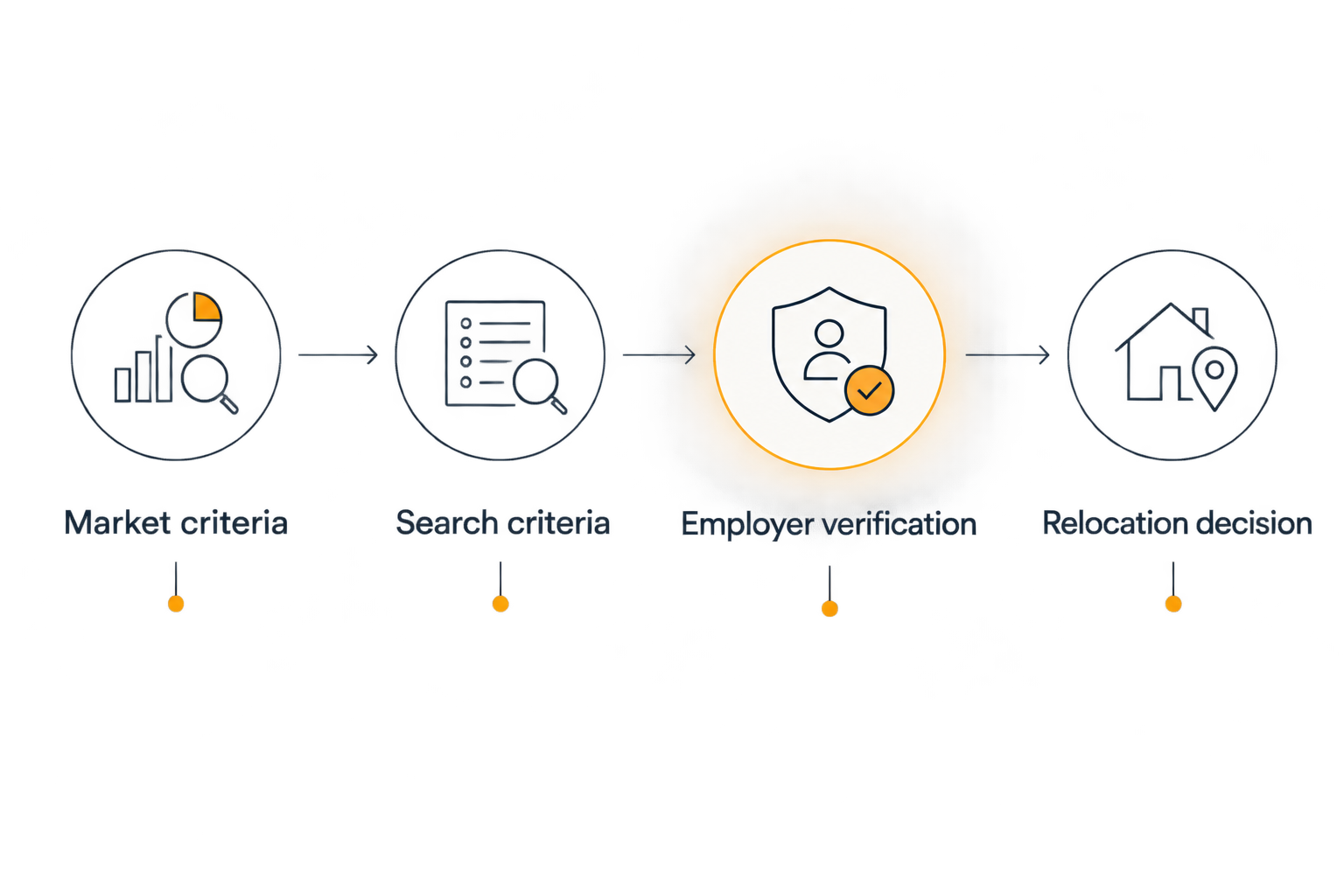
Market criteria
Create a comparable evidence base
- Create columns named Market, Report finding, Source date, Geographic scope, Role scope, and Open question. Enter the report's publication date separately from its underlying data period.
- Start with 3 candidate markets as a manageable comparison, not a required sample size. Use the same geographic unit for each: compare metropolitan areas with metropolitan areas rather than mixing a city, a state, and a region.
- Translate each relevant finding into a question. A subspecialty-demand finding becomes a question about the employer's actual case mix; an ownership finding becomes a question about the employing entity and decision-making structure.
Expected result: Every market has a traceable reason for inclusion and an unanswered question to investigate. No destination receives a positive ranking solely because a report describes its region favorably.
For a 2026 relocation worksheet, retain the data period even when the report title says 2026. A publication year and an observation period serve different purposes. Recording both prevents you from treating an older observation as a current employer commitment.
Separate screening evidence from decision evidence
Use the following comparison to decide what each source can establish. These are evidence options, not interchangeable measures of job quality.
| Evidence source | Best for | Strength | Limitation | Required next action |
|---|---|---|---|---|
| Market report | Choosing markets to investigate | Provides context across a defined sample | Does not establish an individual role's terms | Record scope and methodology |
| Job listing | Identifying potentially suitable roles | Describes an advertised opportunity | Leaves unanswered questions about actual duties | Confirm details with the employer |
| Employer conversation | Resolving role-specific questions | Allows direct questions about the position | Verbal answers are not the signed agreement | Request written confirmation |
| Written offer and contract | Reviewing commitments before a move | Documents proposed employment terms | Requires careful interpretation and review | Resolve unclear or conflicting language |
Keep each source's wording intact when you record it. Do not turn an advertised partnership track into a guaranteed ownership outcome or a remote designation into permission to work from any location.
Search criteria
Turn regional findings into a job shortlist
- Create worksheet fields named Subspecialty, Work setting, Schedule, Work location, and Non-negotiables. Enter your requirements before reviewing individual positions so an appealing listing does not silently change your criteria.
- Search RadBoard for radiology positions using your target location and clinical scope. Inspect each result's description and use swipe-to-save for roles that warrant follow-up; record unresolved requirements in your worksheet rather than assuming a match.
- Add fields named Employer, Advertised location, Source identifier, and Date checked. Compare employer, location, subspecialty, and schedule before treating similar advertisements as separate opportunities.
Expected result: Your shortlist contains identifiable roles, not just attractive markets. Every saved position either matches your stated requirements or carries a clearly labeled question that must be answered.
Write search criteria in clinical terms. If your requirement is predominantly abdominal imaging, record whether general diagnostic coverage is acceptable and which procedures you expect to perform. A subspecialty title alone does not answer those questions.
Keep a separate Reason excluded field. Record the exact conflict, such as required overnight coverage or an unacceptable primary site. This prevents repeated reviews of the same unsuitable opportunity and shows whether your search is constrained by geography, clinical scope, or schedule.
Employer verification
Resolve the details that determine whether you move
- Create fields named Confirmed duties, Confirmed schedule, Confirmed sites, Employment structure, and Verification date. Ask the employer to distinguish routine expectations from optional coverage and temporary staffing needs.
- Ask who employs you, who controls scheduling, where you must physically work, and what changes require your agreement. Request clarification of clinical mix, call responsibilities, productivity expectations, and any stated ownership path.
- Record each answer with its source and status: Advertised, Discussed, Written, or Unresolved. Compare the written offer and proposed contract with earlier answers, and have qualified counsel review terms that affect your obligations or departure.
Expected result: Each serious opportunity has a documented operating picture. An unanswered question remains unresolved instead of becoming a favorable assumption in your comparison.
Ask concrete questions rather than requesting a general description of practice culture:
- Which sites would I cover during a routine working week?
- Who covers absences, overnight work, and unexpected vacancies?
- What portion of the role involves work outside my preferred subspecialty?
- Which productivity measures apply, and how are they calculated?
- Which relocation-related commitments appear in the agreement, and what triggers repayment?
For a 2026 move, ask the employer to confirm the proposed start date against its credentialing process. Do not make a household commitment based only on an intended clinical start date. Track Earliest feasible start separately from Employer target start until the relevant parties confirm the sequence.
Relocation decision
Apply household constraints before ranking offers
- Create Clinical fit, Household fit, Start readiness, and Contract questions columns. Write a short evidence-based assessment under each rather than assigning a precise score to incomplete information.
- Mark each requirement Pass, Fail, or Unresolved. Treat a failed non-negotiable as a reason to stop; do not let strengths elsewhere cancel a requirement you defined as essential.
- Assign the next action: request clarification, schedule a site visit, obtain contract review, or decline. Choose a destination only after the role and household requirements pass your decision gate.
Expected result: You have a defensible next move for each opportunity. The worksheet distinguishes a promising market from a role ready for a relocation decision.
Use this sequence to keep discovery separate from commitment. Return to an earlier stage whenever new evidence changes a requirement.
Before accepting, read the worksheet without the market names. If a role looks unsuitable when the destination is hidden, identify whether you are choosing the job or accepting a known compromise for the location. Record that compromise explicitly rather than describing it as clinical fit.
Refresh the shortlist when a role changes
The adjacent workflow is a change review. Use it when an employer changes the work site, call schedule, clinical scope, ownership description, or proposed start date—not just when a new report appears.
- Preserve the previous entry and record the changed statement with its date and source.
- Recheck only the requirements affected by the change. A new coverage site requires a location review; a revised call schedule requires a schedule review.
- Change the relevant status back to Unresolved until you receive confirmation, then update the opportunity's next action.
Expected result: New information changes the decision record without erasing what you previously understood. You can explain why an opportunity advanced, paused, or left the shortlist.
For the rest of your 2026 search, keep a Next review trigger field. Write a specific event, such as receipt of the draft contract or confirmation of the primary site. This is a manual review workflow; saved jobs alone do not perform these checks.
Troubleshooting
Several advertisements look like strong local demand
Compare the employer, site, clinical scope, and schedule. Mark suspected duplicates together and ask the employer how many distinct positions remain open before counting them separately. Keep advertisement counts separate from confirmed openings.
The report and the listing describe different roles
Check the report's subspecialty, employment setting, geographic scope, and measurement period. Use the finding only at the level its methodology supports. Compare the individual role through employer answers rather than forcing it into an unrelated benchmark.
A remote role appears compatible with your destination
Ask the employer whether you can perform that specific role from your intended physical location and what licensing, credentialing, and coverage requirements apply. Keep the location requirement unresolved until confirmed. A remote label is not sufficient evidence for a relocation commitment.
The preferred city has no verified clinical match
Change a single search boundary deliberately: geography, schedule, or clinical scope. Record what changed and why. If all boundaries remain essential, pause that destination rather than relabeling an unsuitable role as a match.
The verbal description conflicts with the contract
Identify the conflicting language and request clarification or revision before signing. Retain both versions in your records and ask employment counsel to review the disagreement. Do not resolve it by assuming the more favorable description controls.
Customize your workflow
Add a specialty-specific evidence field rather than adding more destinations. For a procedural role, document expected procedures and supporting coverage; for an academic role, document how clinical duties interact with teaching and research expectations. Record answers, not impressions.
If you are comparing different employment models, add a separate review of obligations and benefits instead of treating headline compensation as directly comparable. The guide to comparing radiology job offers beyond base salary provides the next area to examine.
Use RadBoard for radiology job discovery, then maintain your own evidence record through employer conversations and contract review. The platform's search breadth is useful at the start; the verification work remains yours.
FAQ
How do I use a radiology market report for relocation?
Use a radiology market report to select markets for investigation, then verify individual roles with employers. Record the report's data period, geography, and role scope separately from listing details and contract terms.
Is the market with the most radiology listings the best place to move?
Listing count alone does not establish the best relocation destination. Check for duplicate advertisements, confirm distinct openings, and assess clinical scope, schedule, and household fit.
Can RadBoard help me compare radiology jobs across locations?
RadBoard supports radiology job discovery across 5,000+ positions aggregated from 20 sources. Use search and swipe-to-save to identify roles, then record location-specific comparisons and employer confirmations in your own worksheet.
What should I ask before relocating for a radiology job?
Ask about actual work sites, clinical mix, call, productivity expectations, employment structure, and start-date dependencies. Obtain written clarification of commitments that affect your relocation and have the proposed contract reviewed.
Can I relocate anywhere if I accept a remote radiology job?
Do not assume a remote designation permits work from your intended destination. Confirm the employer's location restrictions and the licensing, credentialing, and coverage requirements for the specific role.
When should I update my radiology relocation shortlist?
Update the shortlist whenever material role details change or new evidence resolves a requirement. Preserve the earlier entry, record the change, and reassess the affected decision criteria.
One last thing
Put your current role through the same worksheet. Record its actual schedule, clinical scope, household fit, and unresolved problems alongside the proposed move. Comparing a new employer's advertisement with your current job's lived reality creates an uneven decision; compare verified details on both sides.