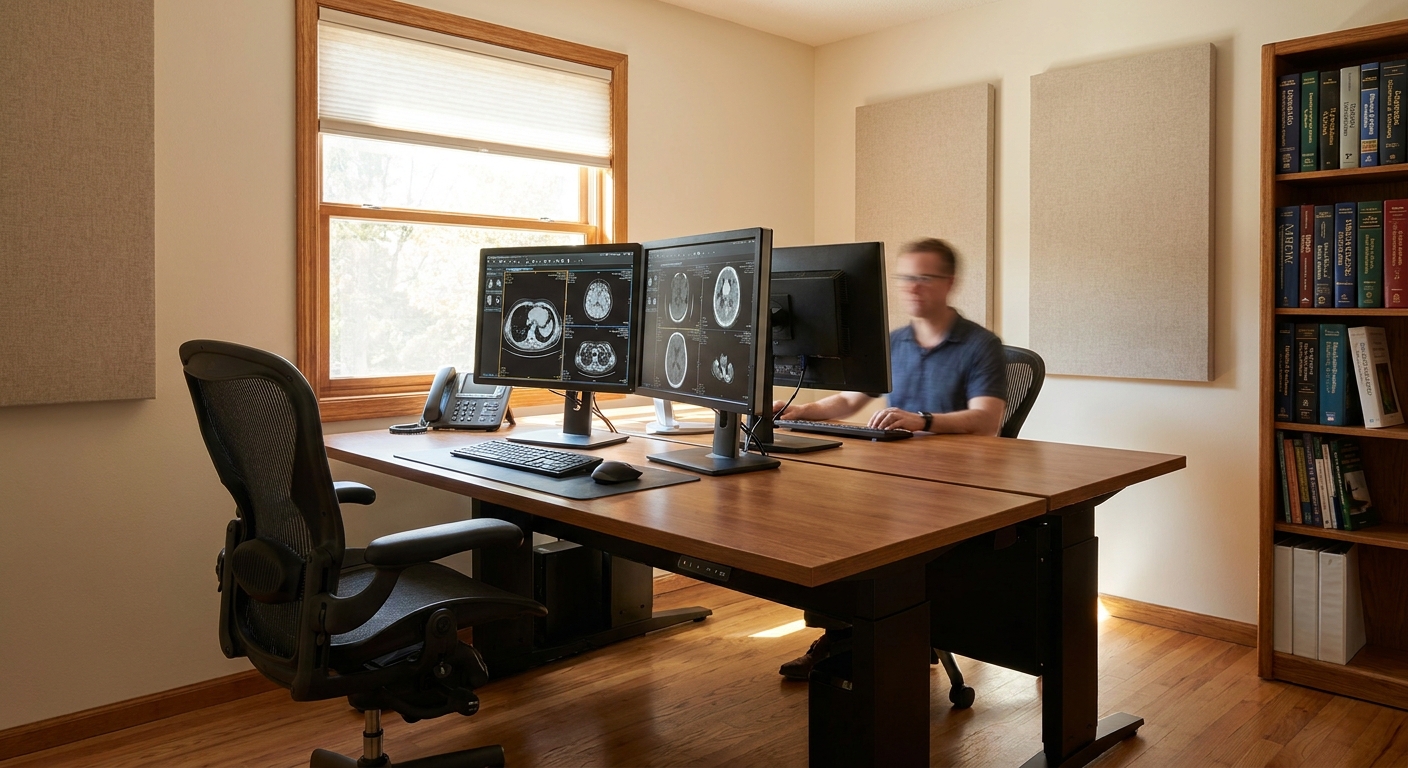
Setting up a teleradiology home reading room in 2026 means meeting the same diagnostic standards as a hospital reading room, just inside a spare bedroom or converted office instead of a hospital basement.
- A compliant teleradiology home reading room needs diagnostic-grade monitors, a secure VPN, and documented licensure for every state you cover.
- ACR technical standards call for controlled ambient lighting and calibrated luminance on primary diagnostic displays before you read a single study.
- Multi-state licensing gaps are the most common credentialing failure for remote radiologists in 2026 — verify every state before your first shift.
- Buy a UPS battery backup and a wired internet connection; both are non-negotiable for uptime-sensitive stat reads.
Why this matters
A misconfigured home reading room doesn't just slow you down — it can void a facility's credentialing agreement or trigger a HIPAA finding. Teleradiology groups audit home setups more aggressively in 2026 than they did five years ago, partly because remote radiology now covers a bigger share of nighthawk and stat reads than it did pre-pandemic. If you're weighing remote radiology jobs on RadBoard, the reading room setup is usually the first thing a credentialing coordinator will ask about, before they ask about your CV.
Getting it wrong costs you contracts. Getting it right lets you take on multi-facility coverage without redoing your setup every time you add a new client.
What you'll need
- Two to three diagnostic-grade monitors (minimum 3 megapixel grayscale for CT/MR, 5 megapixel for mammography per ACR technical standards)
- A dedicated, low-glare room with adjustable or blackout lighting
- A hardwired internet connection with at least 25 Mbps upload, plus a backup connection (cellular hotspot or second ISP)
- An enterprise VPN client and multi-factor authentication credentials from each facility or teleradiology company
- A HIPAA-compliant workstation — no shared family computers, no browser-based PACS access on unmanaged devices
- An uninterruptible power supply (UPS) rated for at least 15-30 minutes of runtime
- Active state medical licenses for every jurisdiction you'll read for, plus any facility-specific credentialing paperwork
- A signed teleradiology contract that specifies malpractice tail coverage and equipment responsibility
The steps
1. Verify licensure and credentialing for every state you'll cover
Remote radiology only works if your license footprint matches your caseload. A single uncredentialed state can pull you off a shift mid-contract.
Map every facility on your contract to its state, then cross-check your active licenses against that list before you sign anything. Groups offering teleradiology jobs with multi-state license support will handle renewal logistics, but you're still the one who confirms the license is active before the first shift. The common mistake: assuming a license in process counts as compliant. It doesn't, and most contracts specify active licensure only.
2. Build the physical space around light control, not aesthetics
ACR–AAPM–SIIM technical standards for electronic practice of medical imaging specify controlled ambient lighting for primary diagnostic display use — glare and stray light degrade contrast resolution on subtle findings.
Pick a room with no direct window light hitting the monitors, install blackout curtains or blinds, and keep wall colors neutral and matte. A dimmer switch on overhead lighting gives you control without redecorating. Common mistake: positioning a monitor across from a window. Even indirect daylight shifts your perceived contrast enough to matter on low-dose CT and mammography reads.
3. Calibrate your monitors and document the calibration
Diagnostic-grade monitors need periodic luminance calibration, and that calibration record is often what a credentialing audit asks to see first.
Use the monitor manufacturer's calibration software on a recurring schedule — monthly is standard for most groups in 2026 — and keep exported calibration logs for at least a year. Skipping this step is the single most common finding in remote reading room audits, because it's invisible day-to-day until someone asks for proof.
4. Lock down network security before you touch a single study
PACS access over an unsecured connection is a HIPAA violation waiting to happen, and most teleradiology contracts terminate immediately for a security lapse.
Install the facility's or company's VPN client on a dedicated workstation, enable multi-factor authentication, and disable any browser extensions or cloud sync tools on that machine. If you're evaluating how to read a teleradiology contract before signing, check the section on data security requirements — some groups mandate specific antivirus software or device encryption standards you'll need to install ahead of onboarding.
5. Build redundancy into your internet and power
A dropped connection mid-stat-read isn't just inconvenient — it can breach your turnaround-time contract with the facility.
Run a hardwired connection as primary, keep a cellular hotspot charged as backup, and put your workstation, monitors, and router on a UPS. Test the failover monthly, not just once at setup. Common mistake: relying on Wi-Fi for the primary connection — latency spikes on wireless are enough to cause dropped VPN sessions during high-volume overnight coverage.
6. Set up ergonomics for sustained reading volume
Home reading rooms that ignore ergonomics burn out radiologists faster than hospital-based ones, mostly because nobody enforces break schedules when you're working alone.
Get an adjustable chair, position monitors at eye level roughly 20-24 inches away, and set a recurring break timer every 60-90 minutes. If you're doing high-volume nighthawk or stat coverage, this isn't optional — it's the difference between a sustainable teleradiology home reading room and a six-month burnout.
7. Document everything for your next credentialing cycle
Every facility you contract with will eventually ask for proof of your setup — monitor specs, calibration logs, network security attestation, license copies.
Keep a single folder (cloud-backed, encrypted) with all of this updated in real time. Groups that manage teleradiology side income alongside a full-time job especially benefit here — re-credentialing across multiple part-time contracts is where paperwork gaps show up fastest.
Find teleradiology jobs that fit your setup
Search 5,000+ radiology listings, including remote and teleradiology roles, on RadBoard.
Troubleshooting
Monitor calibration keeps drifting between checks. Most consumer-grade calibration software degrades faster under continuous use. Switch to a dedicated colorimeter and recalibrate on a fixed monthly schedule instead of waiting for visible drift.
VPN sessions drop during peak overnight volume. This usually points to router-level bandwidth contention, not the VPN itself. Prioritize the workstation's traffic on your router's QoS settings, or move other household devices off the same network segment during shifts.
A facility flags your license as inactive mid-contract. Renewal lag is the usual cause. Build renewal reminders 90 days ahead of expiration instead of relying on state board notifications, which are frequently late.
Ambient light readings fail an audit. Blackout curtains alone often aren't enough if the room has any secondary light source, like a hallway door gap. Weatherstrip the door and add a second layer of light-blocking material at the window frame.
Your malpractice coverage doesn't mention tail coverage for home-based reads. Some contracts assume facility-based coverage terms that don't cleanly extend to remote setups. Get this in writing before your first shift, not after a claim.
Tools and resources
- Best teleradiology companies to work for as a remote radiologist — compare setup and equipment requirements across employers
- RadBoard's job platform for filtering remote and teleradiology postings by facility type and coverage hours
What to do next
Once your reading room is built, the next filter is the contract itself — equipment stipends, malpractice tail coverage, and turnaround-time penalties vary enormously between teleradiology groups. Review the contract terms carefully before you commit to a group that assumes you'll absorb setup costs yourself.
FAQ
What monitors are required for a compliant teleradiology home reading room?
ACR technical standards call for a minimum of 3 megapixel grayscale monitors for CT and MR interpretation, and 5 megapixel monitors for mammography. Most radiologists run two to three monitors plus a reference display for worklists.
Is a home reading room HIPAA compliant by default?
No, a home reading room requires deliberate setup to be HIPAA compliant in 2026 — dedicated hardware, VPN access, multi-factor authentication, and no shared family devices. Facilities and teleradiology companies typically audit this before finalizing credentialing.
How much internet speed does teleradiology require?
A minimum of 25 Mbps upload on a hardwired connection is standard for stat and nighthawk coverage in 2026. A backup connection, like a cellular hotspot, is required by most contracts for continuity.
Do I need a license in every state I read for remotely?
Yes, active licensure in every state where a facility is located is required before you can legally read studies for that facility. License-in-process status does not satisfy most teleradiology contracts.
How often should diagnostic monitors be calibrated?
Monthly calibration is standard practice for diagnostic-grade monitors used in teleradiology in 2026. Calibration logs should be kept for at least a year to satisfy credentialing audits.
What is the biggest compliance mistake radiologists make with home reading rooms?
Skipping documented monitor calibration is the most common audit failure, followed closely by ambient light leaks from windows or doors. Both are easy to fix but frequently overlooked until an audit flags them.
Does malpractice insurance automatically cover home-based teleradiology reads?
Not always. Some contracts assume facility-based coverage terms that don't extend cleanly to remote setups, so tail coverage for home reads should be confirmed in writing before your first shift.
Can I build a teleradiology reading room for side income while working full-time?
Yes, many radiologists run a home reading room for supplemental teleradiology contracts alongside a full-time position in 2026. The setup requirements are identical regardless of whether the work is primary or supplemental income.
One last thing
The reading room itself rarely fails an audit — the paperwork trail does. Radiologists who keep a single, continuously updated folder of calibration logs, license copies, and network security attestations pass re-credentialing reviews faster than those who reconstruct it all when a new facility contract lands on their desk in 2026.
Related guides
- Teleradiology jobs for radiologists who want remote flexibility
- Best teleradiology companies to work for as a remote radiologist
- Teleradiology jobs that provide multi-state license support
- How to evaluate a teleradiology contract before signing
- Teleradiology side income jobs for full-time attendings